
Claude Design by Anthropic Labs: The Complete Guide
Executive Summary
Claude Design is Anthropic’s newly launched AI-powered visual creation tool, announced on April 17, 2026. Built by Anthropic Labs — the same incubator that produced Claude Code — it allows users to create prototypes, presentations, slides, one-pagers, landing pages, and branded marketing assets entirely through natural language conversation. Powered by Claude Opus 4.7, Anthropic’s most capable vision model, Claude Design is currently available in research preview to Pro, Max, Team, and Enterprise subscribers.
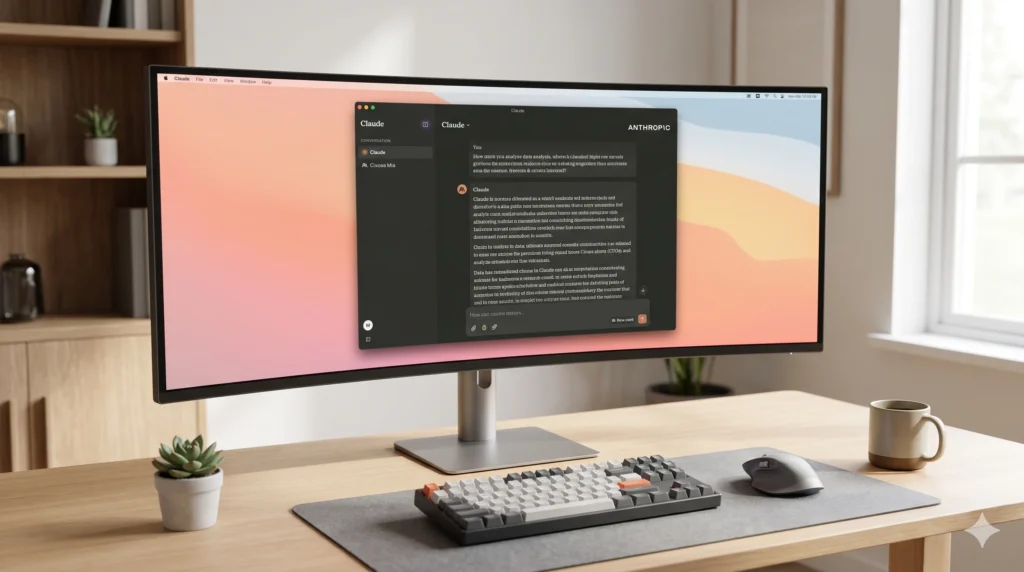
The tool is designed to serve two parallel audiences: experienced designers who need to explore more directions faster, and non-designers (founders, product managers, marketers) who have creative ideas but lack design expertise. Its most distinctive characteristic is not just generating visuals — it connects idea generation, visual exploration, and code implementation into a single workflow through seamless integration with Claude Code.
What Is Claude Design?
Claude Design is Anthropic’s first dedicated visual creation product, positioned as a collaborative AI design workspace. Unlike traditional AI image generators (e.g., Midjourney), Claude Design does not generate static images. Instead, it produces interactive, editable design artifacts — wireframes, prototypes, slide decks, and more — that users can iterate on through conversation.
The product is framed as a bridge between three design phases that are typically fragmented:
- Idea generation — conversational chat with Claude
- Visual exploration — a live design canvas where Claude generates and refines artifacts
- Implementation handoff — packaging the design for Claude Code to build into production
Anthropic explicitly states that Claude Design is not meant to replace tools like Canva or Figma, but to complement them. It is built for getting from an idea to something visual quickly — before users reach a dedicated design tool.
How Claude Design Works
The Interface
Claude Design has a split-pane layout: a chat interface on the left and a live canvas on the right. Users type what they want, Claude generates a design on the canvas, and iteration happens through a combination of chat messages and inline comments.
The typical workflow follows five steps:
- Create a project and add context (screenshots, a codebase, a brand brief)
- Describe what you want to build in natural language
- Review what Claude generates on the canvas
- Iterate using chat messages and inline comments
- Export or share the final design
Design System Ingestion
One of Claude Design’s most enterprise-significant features is its ability to ingest a team’s existing brand identity. During onboarding, Claude Design reads a company’s codebase and design files to automatically extract:
- Brand colors, gradients, and token palettes
- Typography scales and heading rules
- Reusable components (buttons, cards, nav, forms)
- Layout conventions, spacing, and corner radius
Every subsequent project automatically applies this design system without re-prompting. Users who have tested this feature report that Claude processes a brand PDF and generates a full design system — CSS files, color palettes, typography scales, spacing tokens — in approximately ten minutes. Teams can also maintain multiple design systems for different product lines or clients.
Import Options
Claude Design supports multiple starting points beyond a blank prompt:
- Text prompt: Describe the design from scratch
- File uploads: DOCX, PPTX, XLSX, images, and existing slide decks
- Codebase link: Connect a GitHub repository for component-aware prototyping
- Web capture tool: Grab elements directly from an existing website so prototypes visually match the live product
Refinement Controls
Once a first draft exists, users can refine it through several mechanisms:
- Chat: For broad structural changes (layout, color scheme, new sections)
- Inline comments: Click directly on a canvas element and request a targeted change
- Direct text editing: Edit copy in place
- Adjustment knobs/sliders: Claude generates custom controls for tweaking spacing, color, and layout live
Collaboration
Claude Design supports organization-scoped sharing with three access levels: view-only, comment, and edit. Edit access enables multiple team members to chat with Claude together in a group conversation on the same design.
Key Features
Interactive Prototypes
Designers can convert static mockups into shareable, interactive prototypes without writing code, going through code review, or filing PRs. Anthropic’s partner company Brilliant reports that their most complex pages — which required 20+ prompts in other tools — needed only 2 prompts in Claude Design.
Frontier Design (Code-Powered Prototypes)
Beyond standard UI mockups, Claude Design supports advanced prototypes with voice interactions, video, shaders, 3D elements, and built-in AI capabilities. This category of output goes beyond what traditional design tools can render.
Presentations and Pitch Decks
Users can go from a rough outline to a complete, on-brand presentation deck in minutes, then export as PPTX or send directly to Canva.
Claude Code Handoff
When a design is ready to be built, Claude Design packages everything into a handoff bundle containing:
- A machine-readable component structure spec
- All design tokens used on the canvas
- Layout hierarchy
- Referenced assets
The handoff is a single clipboard action: Claude Design provides a command, which the user pastes into Claude Code, and Claude Code fetches the spec file and begins building. This is described as “the design-to-production loop” — a closed workflow that no other design tool currently offers.
Export Options
Claude Design supports exporting to:
| Format | Use Case |
|---|---|
| Sharing static documents or reports | |
| PPTX | Importing into PowerPoint or Google Slides |
| Standalone HTML | Publishing lightweight web pages |
| Canva | Full editable collaboration in Canva |
| Shareable URL | Internal sharing with view/comment/edit access |
| Handoff to Claude Code | Development implementation |
Use Cases
Claude Design is designed around distinct workflows for different team roles:
For Designers
- Design explorations: Quickly generate a wide range of directions rather than rationing exploration to a few options
- Realistic prototypes: Turn static mockups into interactive, shareable prototypes for user testing without engineering involvement
- Design system management: Maintain and evolve the team’s brand system in one place
For Product Managers
- Product wireframes and mockups: Sketch out feature flows and hand them directly to Claude Code for implementation
- Feature specifications: Create visual specs that serve as precise briefs for designers or engineers
For Founders and Executives
- Pitch decks and presentations: Go from a rough outline to a complete, on-brand deck in minutes
- Stakeholder presentations: Create polished decks for board meetings, investor pitches, or sales calls
For Marketers
- Landing pages: Generate responsive landing page concepts quickly
- Social media assets: Create on-brand graphics and campaign visuals
- Marketing collateral: Produce one-pagers, brochures, and ad creatives at scale
For Developers
- Data visualizations: Upload CSV files and get interactive charts and dashboards
- App UI mockups: Generate iOS/Android wireframes and high-fidelity mockups before writing a line of code
How to Access and Get Started
Eligibility
Claude Design is available to:
- Claude Pro ($20/month)
- Claude Max ($100–$200/month)
- Team plans ($25–$150/user/month)
- Enterprise (custom pricing — off by default, must be enabled by admin)
It is not available on the Free plan. Access is included within existing subscriptions at no additional cost, with usage counting against subscription limits. Users can enable extra usage beyond limits.
Accessing Claude Design
- Navigate to claude.ai/design in a browser, or use the Claude Mac app
- Enterprise admins must first enable it under Organization settings > Capabilities > Anthropic Labs > Claude Design
Setting Up a Design System (Teams)
Anthropic recommends a phased rollout for organizations:
- Week 1: Confirm team is on an eligible plan; assign a Claude Design owner (Head of Brand, DesignOps, or Chief of Staff)
- Week 2: Ingest the design system — point Claude Design at your codebase and design files; validate extracted colors, typography, and components
- Week 3: Pilot with a small group; collect feedback
- Week 4: Broad rollout
Writing Effective Prompts
- Goal: What you’re building (“a dashboard,” “a mobile onboarding flow”)
- Layout: How things should be arranged (“metrics in the top row, chart below”)
- Content: What information to display
- Audience: Who will use it
Example prompts that work well:
- “Create a dashboard showing monthly revenue with filters for region and product line.”
- “Design a mobile app onboarding flow with 4 screens that walks users through our core features.”
- “Build a landing page for our new API product with a hero section, code examples, and pricing.”
Claude Design vs. Traditional Design Tools
The launch sent notable shockwaves through the market: Figma’s stock dropped approximately 7% within a single trading session following the announcement.
Known Limitations
Claude Design is explicitly labeled a research preview, and Anthropic acknowledges several current weaknesses:
- Inline comment instability: Comments can occasionally disappear before Claude reads them; the workaround is pasting the feedback directly into chat
- Save errors in compact view: The compact layout mode can trigger save errors; switching to full view resolves this
- Large codebase limitations: Linking very large repositories causes lag or browser issues; Anthropic advises linking specific subdirectories rather than full monorepos
- Chat upstream errors: Occasional server-side errors require starting a new chat tab within the same project
- GitHub integration instability: Reported to have had issues at launch
- Non-resizable preview panes: Multiple early users noted this constraint
- Canva export fidelity: Some design elements export as flat images rather than editable layers in Canva
- Cannot run locally: Claude Design only runs in the hosted research preview — it is not available for local deployment
- Alignment glitches: Early outputs occasionally show alignment issues, though these can typically be fixed with a follow-up prompt
Anthropic positions these as known issues being actively addressed as the product moves out of research preview.
Industry Context and Competitive Positioning
Claude Design arrives at a moment of intense investment in AI-native design tools. Figma and Adobe have both been aggressively building AI features into their platforms, and Google recently launched a competing product (Google Stitch). Canva, rather than competing, has formalized a partnership with Anthropic to make Claude Design output flow seamlessly into Canva’s collaborative editing environment.
Anthropic’s strategic angle is distinct: rather than building a full end-to-end design platform, Claude Design positions itself as a front-end for ideation and prototyping that feeds into the broader Claude ecosystem (Claude Code for development, the API for integration). This positions the product as a productivity layer for teams rather than a replacement for professional design software.
The broader implication is that Claude Design is part of Anthropic’s push into the enterprise and prosumer workspace — a pattern also visible in Claude Code and the Team/Enterprise plan feature expansion. By closing the design-to-development loop inside a single model family, Anthropic is building a cross-functional workflow product that neither Figma, Canva, nor standalone AI image generators can currently replicate.